How to Export MBOX File from Thunderbird to PST File on Mac?
Know simple and easy tutorial to resolve how to export MBOX file from Thunderbird to PST file on Mac with emails and attachments.


Common Scenario:
I am moving to Windows from Mac operating system and worried about files I have exported from Thunderbird as they are not easily accessible in Outlook on Windows. And in order to view them on the same, I need to convert MBOX files into PST format. So I am constantly wondering how to export MBOX file from Thunderbird to PST file on Mac with accurate emails and attachments. Can anyone help me with this please?
Mozilla Thunderbird is a commonly used open-source cross-platform email application. It allows users to manage multiple email accounts, contacts, calendars, and RSS feeds in a single application. Due to its commitment to user privacy, not storing personal data of users without permission, and offering security options such as PGP encryption and anti-phishing protection make Thunderbird no. 1 choice for data management among Mac professionals. Additionally, it has an inbuilt option that allows users to export their essential emails in MBOX file using ImportExportTools NG add-on.
PST, on the other hand is a Windows Outlook supported file type that not only known for storing emails but also other data items of users account such as contacts, calendars, tasks, notes, and journals. And Outlook for Windows is a platform which only allows importing files that it supports. Therefore, Mac users will never able to access MBOX files in the same because every email client has a storage format in which it stores the emails and attachments of users profile. Therefore, switching to a different email client on a different OS is not easy.
So, in the further write-up we will explore a solution that will precisely export MBOX file from Thunderbird to PST file on Mac with accurate emails and attachments.
How to Export MBOX File from Thunderbird to PST File on Mac?
Step-by-Step Tutorial to Export MBOX File from Thunderbird to PST on Mac
The entire process is divided into two steps
Exporting MBOX from Thunderbird
Converting MBOX to PST
Step 1. Exporting MBOX File from Thunderbird
Step 1. Open Thunderbird on Mac.
Step 2. Go to menu (?) appearing at the top right corner of the screen.
Step 3. Navigate to Add-ons and search ImportExportTools NG add-on.
Step 4. Install the same and start Thunderbird again.
Step 5. Choose the desired folder to export
Step 6. Right-click on the selected folder and choose ImportExportTools NG.
Step 7. Tap Export Folder.
Step 8. Select desired location to save exported folder.
Step 9. Pick the necessary folder in which you want to save exported folder as MBOX.
Step 10. Tap Select Folder button.
Step 11. Once the process completes, you may rename the exported file by adding .mbox extension in case if not added automatically.
Step 12. Go to the specified location to verify MBOX file.
Note. You can use the steps if you do not have MBOX files exported from Thunderbird earlier.
Step 2. Converting MBOX File to PST on Mac
The direct and safe process to export MBOX file from Thunderbird to PST file on Mac is by using MacMister MBOX to PST Converter Mac application. With the help of the software, users can execute the batch conversion of MBOX files at once and attain the results with precise email content and data integrity. Besides, it possesses intuitive interface will ease the procedure for both technical and non-technical users. And its three clicks will save the time and efforts of users.
Furthermore, MacMister MBOX to PST Mac Converter Tool is designed with numerous remarkable features that allow users exporting MBOX file from Thunderbird to PST file on Mac according to the requirements. However, it is recommended to users to download the software freeware version first in order to understand the detailed working of the tool for free.
Software Steps to Convert MBOX File to PST File Format on Mac
Step 1. Download and operate the solution on a Mac-based machine.
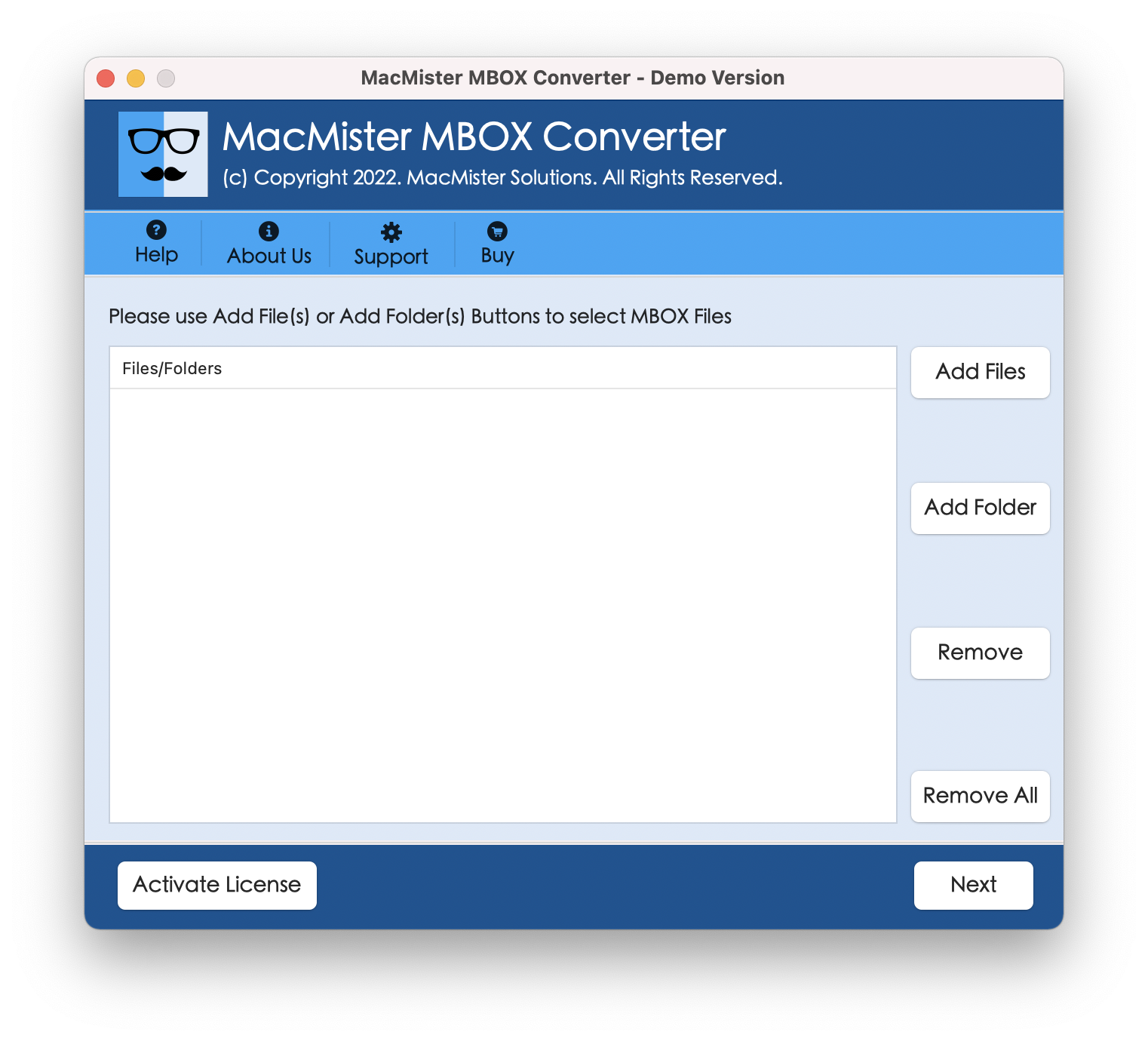
Step 2. Utilize Add File(s)/Add Folder options to load MBOX files on the app and click Next.
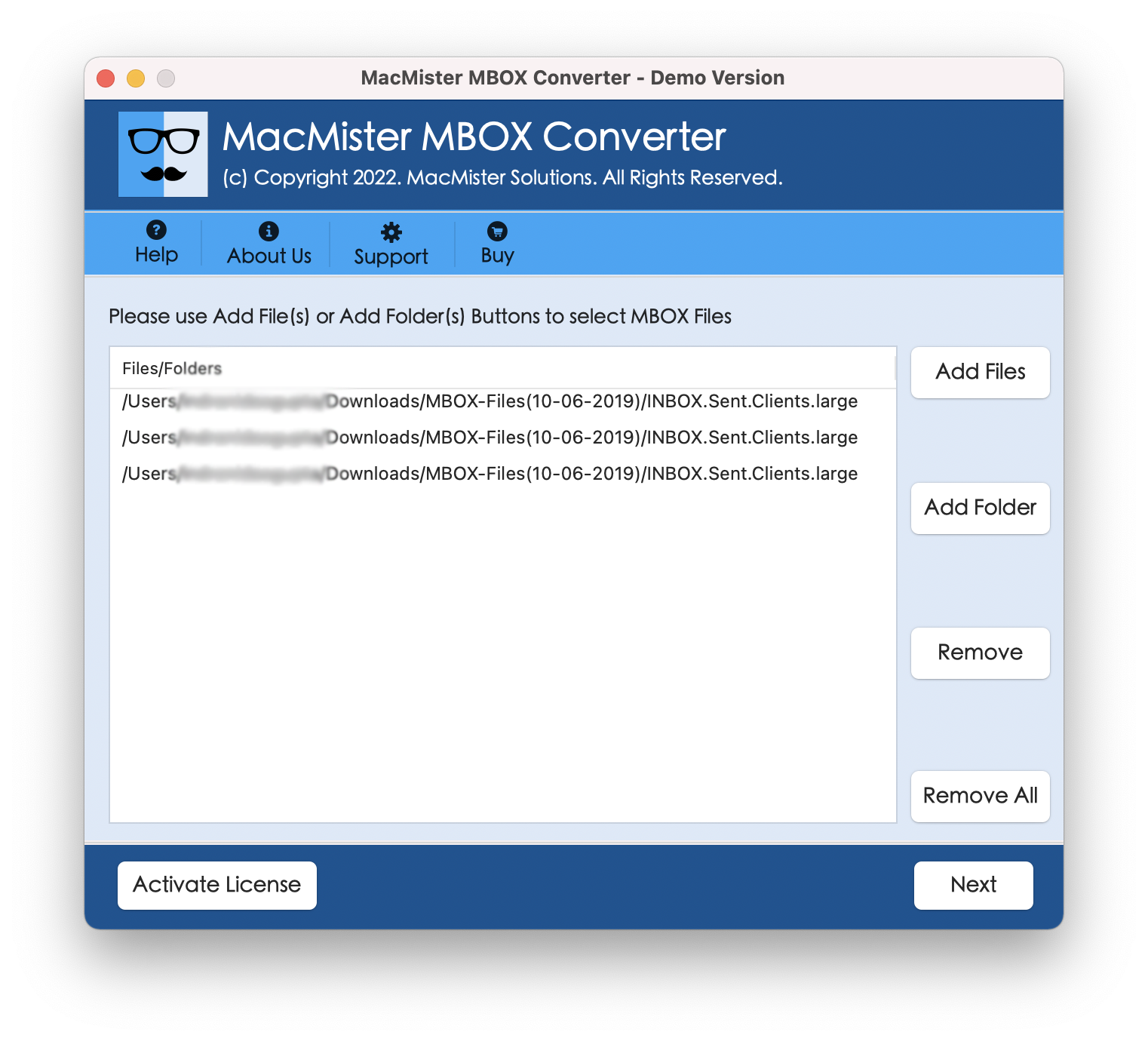
Step 3. Now, go through the files listed. Each will display with checkboxes. You may utilize these checkboxes to convert selected files, if required. Then, tap Next to continue.
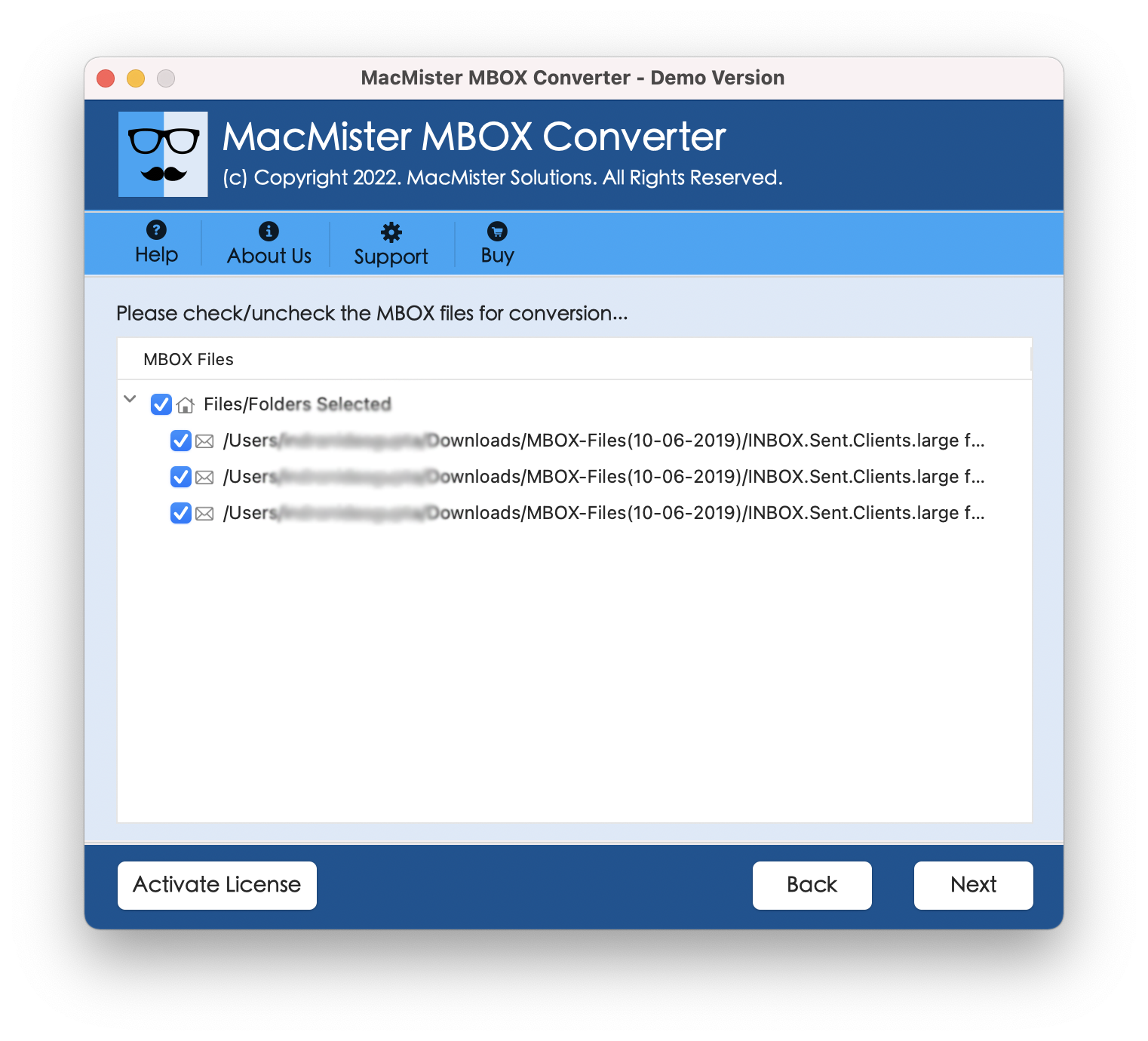
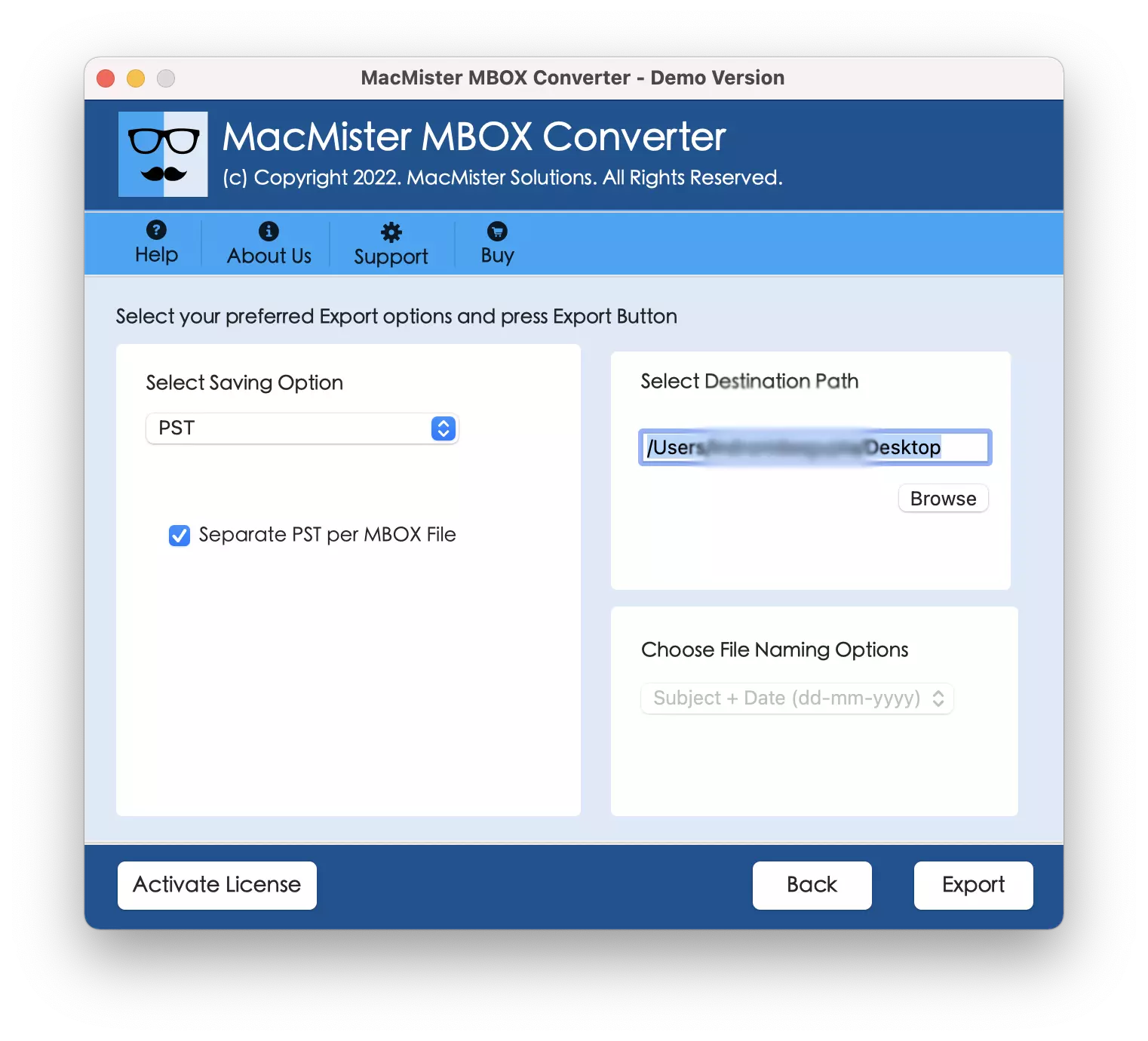
Step 4. Click Select Saving Options and choose PST saving type from the list.
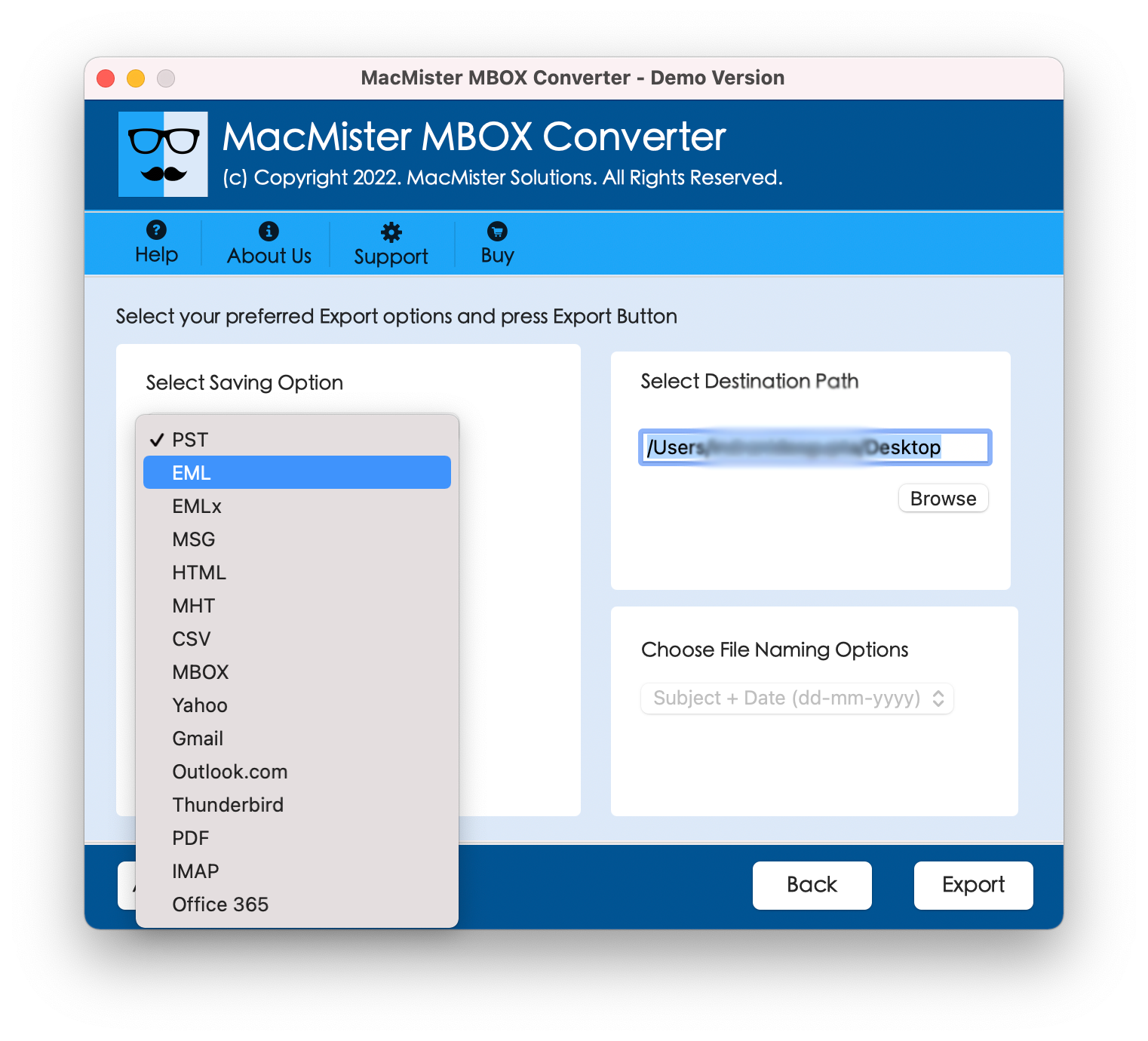
Step 5. Set options of a selected saving type as per requirements and click Export.
Step 6. Go through Live Conversion Report screen appearing on the screen.
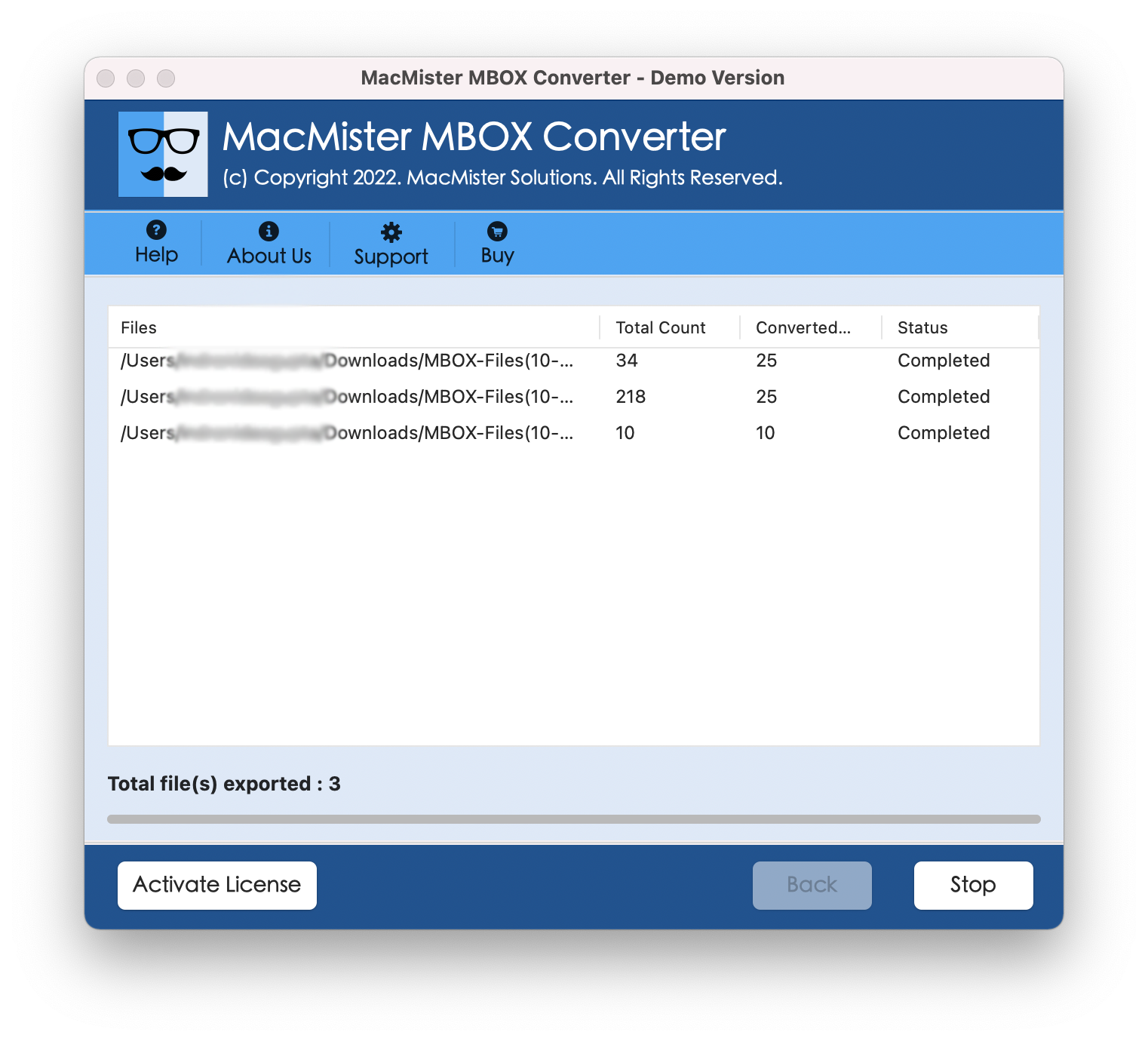
In fraction of seconds, the app will complete the task and then show Conversion Completed notification window to users. Click OK button and then move PST files into Windows with the help of external drive or cloud-based service. Then, use the Outlook Import/Export option to import all the files in the same.
However, the data will appear with accurate text and metadata properties. You will find no change in the database after the process.
Conclusion
The write-up here provided an outstanding technique to resolve how to export MBOX file from Thunderbird to PST file on Mac. The entire process is divided into two stages. The first stage has provided steps for exporting MBOX files from Thunderbird and the second stage has discussed the solution i.e. MacMister MBOX Converter for Mac which will convert exported MBOX files into PST within seconds. It smoothly implements the batch conversion and delivers the results with 100% accuracy. Also, one can use its free demo and explore the software steps in detail. It also allows exporting 25 MBOX files to PST file free of cost.