Urdu Font Download: A Complete Guide for Designers, Writers, and Enthusiasts
Typography is a key component in creating readable, visually appealing content. For Urdu speakers, calligraphers, content creators, and graphic designers, having access to high-quality Urdu fonts is crucial.

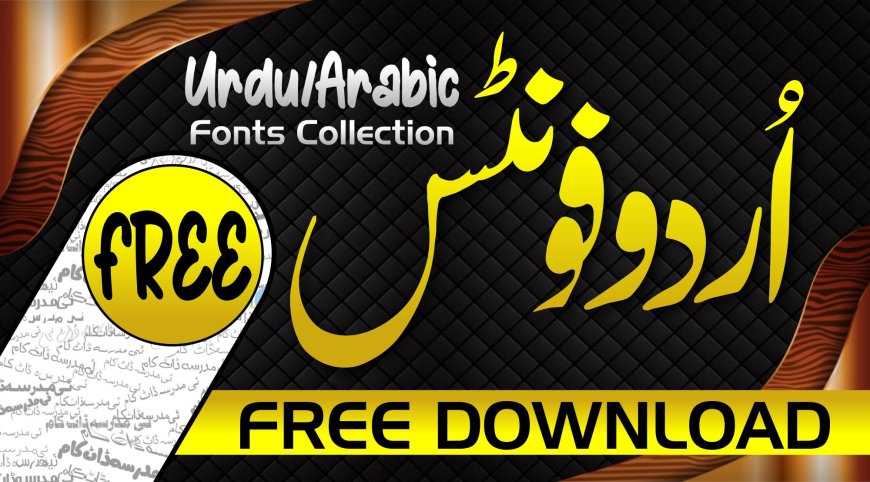
Typography is a key component in creating readable, visually appealing content. For Urdu speakers, calligraphers, content creators, and graphic designers, having access to high-quality Urdu fonts is crucial. Whether youre designing wedding cards, digital banners, websites, or printed materials, the right font can elevate the impact of your work. This is where the importance of Urdu font download comes into play. From Nastaliq to modern digital styles, there is a wide range of font options that blend tradition with technology.
In this comprehensive guide, well walk through the benefits of Urdu fonts, popular types, compatibility tips, and step-by-step instructions on how to download and install them successfully across different devices.
Popular Urdu Fonts and Their Uses
There are many Urdu fonts available online, both free and premium, tailored for different needs. Here are some of the most widely used ones:
1. Jameel Noori Nastaleeq
Perhaps the most famous Urdu font, Jameel Noori Nastaleeq is ideal for traditional print media, literary works, and formal invitations. Its renowned for its elegance and readability.
2. Nafees Nastaleeq and Nafees Web Naskh
Developed by the Center for Language Engineering (CLE) in Pakistan, these fonts are optimized for web use. They offer a modern aesthetic while maintaining classical script integrity.
3. Alvi Nastaleeq
A beautifully designed font, Alvi Nastaleeq offers a more modern, bold appearance. Its useful for headings, banners, and larger text formats.
4. Pak Nastaleeq and Mehr Nastaleeq
These fonts are known for their lightweight performance and are often used in digital publishing platforms and mobile applications where space and speed are important.
5. Urdu Typesetting
Included in Microsoft products, this font is versatile and suitable for both print and digital projects. Its great for users looking for system-integrated options.
Each font has its unique flair and purpose, so it's worth trying different styles before settling on one. Whether youre creating academic presentations or developing a multi-lingual website, the right Urdu font download can significantly enhance the user experience.
How to Download and Install Urdu Fonts
Downloading Urdu fonts is a simple process, but the exact steps vary slightly depending on your device and operating system. Heres a general guide for Windows, macOS, and Android:
For Windows Users
-
Find a reliable source: Visit trusted websites like fonts.google.com (for Naskh-style fonts) or urduweb.org, which offers open-source Urdu fonts.
-
Download the font: Look for .ttf (TrueType Font) or .otf (OpenType Font) file formats. Click the download link to save the file to your computer.
-
Install the font: Right-click on the downloaded font file and select Install. Alternatively, you can drag the file into the Fonts folder located in the Control Panel.
Once installed, the font will be available in all your applications, including Microsoft Word, Adobe Photoshop, CorelDRAW, and even web design software.
For macOS Users
-
Download the .ttf or .otf file from a reputable Urdu font website.
-
Open Font Book, Apples font management app.
-
Drag and drop the font file into Font Book or click the + icon and locate your font file manually.
-
The font will be installed and ready for use across your applications.
For Android Devices
-
Use a third-party keyboard: Gboard or Urdu Phonetic Keyboard apps support Urdu script, but they usually depend on system fonts.
-
Install a font manager app such as iFont or zFont, which allows you to apply custom fonts if your device supports it.
-
Download your preferred Urdu font and apply it using the font manager app. This may require enabling custom fonts in your device settings or using a launcher that supports font changes.
Please note: Some Android devices, particularly those from Samsung or Xiaomi, allow more customization than others. Root access may be needed for full font integration on certain models.
For Web Use
If you are a developer or designer, integrating Urdu fonts into a website is straightforward using CSS. You can upload the font to your server or use services like Google Fonts (if applicable). Heres a basic example of using a custom font:
@font-face {
font-family: 'MyUrduFont';
src: url('fonts/MyUrduFont.ttf') format('truetype');
}
body {
font-family: 'MyUrduFont', sans-serif;
}
This way, you can ensure that the correct font displays on all user devices, regardless of what they have installed.
Best Practices for Using Urdu Fonts
Downloading and installing the right font is only half the job. To make your work look professional and readable, its important to follow some best practices:
1. Match the Font to the Purpose
Use traditional fonts like Jameel Noori Nastaleeq for books, poetry, and religious content, and modern, digital-friendly fonts like Nafees for online content and mobile apps.
2. Test for Compatibility
Always check how your chosen font displays across different platforms and browsers. Some fonts may look different or have formatting issues depending on the device.
3. Keep Accessibility in Mind
Use clear, legible font sizes and maintain proper spacing. Avoid overly decorative fonts for body text, especially in mobile formats.
4. Avoid Overloading Your System
Install only the fonts you need. Having too many fonts can slow down software and make font selection overwhelming.
5. Check for Licensing
Some fonts are free for personal use but require a commercial license for business or publication purposes. Always read the licensing terms before using a font in professional projects.
These practices ensure your projects are not only visually appealing but also practical and respectful of user experience and copyright laws. When done right, your efforts in Urdu font download will enhance readability and engagement across audiences.
Conclusion
In todays digital world, having access to high-quality Urdu fonts is more important than ever. Whether you're a student, designer, developer, or content creator, a thoughtful Urdu font download can help you communicate more effectively, present your content professionally, and connect with Urdu-speaking audiences in a visually pleasing way.
By understanding the types of fonts available, knowing how to install them correctly, and applying them with purpose, you can elevate any projectbe it print, web, or mobile. With the tools and tips shared in this guide, you're well on your way to mastering the art and utility of Urdu typography.
Frequently Asked Questions
Q: What is the best website for Urdu font download?
A: Popular sites like urduweb.org, paktype.org, and some GitHub repositories offer free and reliable Urdu font downloads in various styles.
Q: Are Urdu fonts compatible with Microsoft Word?
A: Yes, once installed on your system, Urdu fonts are fully compatible with Microsoft Word and other Office applications.
Q: How do I install Urdu fonts on Windows?
A: Download the .ttf or .otf font file, right-click it, and select Install. The font will be added to your system and available in all applications.
Q: Can I use Urdu fonts on my Android phone?
A: Yes, but you may need a font manager app like iFont or zFont. Some Android phones also support Urdu fonts through built-in keyboards.
Q: Which Urdu font is best for websites?
A: Nafees Web Naskh and similar clean, lightweight fonts are ideal for websites due to their clarity and web optimization.
Q: Do I need a license to use Urdu fonts?
A: Many Urdu fonts are free for personal use, but commercial use may require a license. Always check the terms provided by the font creator.
Q: What is the most popular traditional Urdu font?
A: Jameel Noori Nastaleeq is one of the most widely used traditional Urdu fonts, especially in newspapers, poetry, and printed materials.